

Mobile phone data recovery
Mobile phone not working? Our Swiss laboratory recovers your data. Free diagnosis within 3 hours.
How to recover data from a mobile phone?
A mobile phone, whether an iPhone running iOS or an Android smartphone (Samsung, Huawei, Google Pixel, Xiaomi), stores your photos, contacts and messages on a flash memory chip (eMMC or UFS) soldered directly to the motherboard. When the device breaks down, suffers water damage or a cracked screen, your data remains physically present on the chip and can be recovered.
Since 2006, SOS Data Recovery has processed over 11,300 media and helped more than 8,000 clients recover their data. Our Swiss laboratory, located in Ins, uses ISO 5 certified laminar flow workstations and chip-off tools to desolder and directly read memory chips, even when the phone no longer boots.
We offer a free diagnosis within 3 hours to assess the chances of recovery. Our "80%" pricing model means you only pay if your data is actually recovered. SOS Data Recovery is CyberSafe certified and CyberSafe partner and rated 4.8/5 on Avis Vérifiés (296 reviews).
Which phone brands do we support?
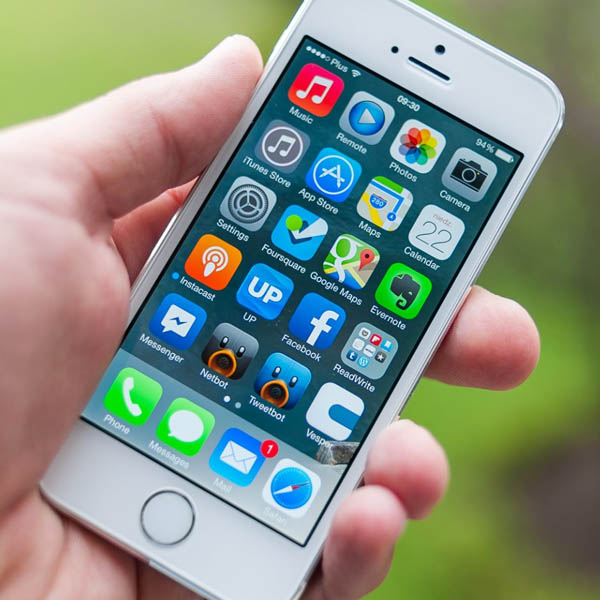
What issues are you experiencing with your phone?
Do you recognise one of these situations? Contact us for a free diagnosis within 3 hours.
Cracked or broken screen
A broken screen may render the phone unusable, but data stored on the memory chip remains intact. Our technicians bypass the screen to access the memory directly.
Water damage
Submersion, splashing or humidity: liquid contact causes short circuits on the motherboard. Do not try to turn the phone back on and bring it to our laboratory as quickly as possible.
Swollen or failing battery
A swollen battery can damage internal components and render the phone inoperable. Our engineers safely remove the battery and access the memory chip to recover your data.
Accidental deletion
Photos, contacts or messages deleted by mistake, accidental factory reset. Stop using the phone to prevent data overwriting and contact us promptly.
Motherboard failure
Overheating, power surges or manufacturing defects can render the motherboard inoperable. Our experts extract the memory chip (chip-off) to recover your data in our ISO 5 certified laminar flow environment.
Locked phone or forgotten passcode
Forgotten PIN, pattern or password making the phone inaccessible. Depending on the model and operating system, our technicians can extract the data without unlocking the device.
How does data recovery work?
From free diagnosis to secure delivery: a transparent 4-step process, entirely performed in our Swiss laboratory.
Free diagnosis within 3 hours
Send your media by secure post, drop it at one of our 30 collection points across Switzerland, or bring it directly to our laboratory in Ins. Our team performs a full analysis within 3 hours of receipt, free and with no commitment.
Transparent quote before any work
You receive a detailed quote outlining the type of failure, recovery chances and exact cost. You approve before any work begins. Full payment on success; only attempt costs are charged if recovery fails.
Recovery under ISO 5 laminar flow
Our technicians work under ISO 5 certified laminar flow with specialised tools (PC-3000). Your data never leaves our CyberSafe-certified and CyberSafe partner Swiss laboratory. Duration: 2 to 10 business days depending on complexity.
Secure delivery of your data
Your recovered data is delivered on a new encrypted drive, or via secure download according to your preference. Original media can be destroyed on request to guarantee confidentiality.
Frequently asked questions
Our specialists answer the most common questions.
Data Recovery: iPhone or Android, is there a difference?
Yes, the architectures are different and influence the recovery method. The iPhone systematically encrypts all data via the Secure Enclave chip. Without the PIN code or Apple ID credentials, extracting the encrypted data is impossible even in a laboratory—this is a deliberate protection by Apple.
Android smartphones offer more flexibility: encryption is enabled by default on recent devices, but the access methods (ADB, EDL mode for Qualcomm, manufacturer recovery modes) are more varied. Success depends on the manufacturer (Samsung, Huawei, Xiaomi, etc.) and the Android version.
In both cases, our technicians have the necessary professional tools (Cellebrite, MSAB, specialized hardware tools) to maximize the chances of recovery.
For an iPhone, keep your PIN code and Apple ID credentials safe—without this information, no laboratory in the world can access the encrypted data.
How much does smartphone data recovery cost?
The cost of smartphone data recovery depends on the nature of the failure and the necessary intervention method. As an indication:
- Software failure or accidental deletion — less complex intervention
- Broken screen or phone that no longer starts — hardware intervention required
- Water damage or severe physical damage — chip-off extraction, the most technical intervention
Our pricing policy is results-oriented: if no data is recovered, only a contribution to the diagnostic costs is requested. The complete diagnosis is free and carried out in our Swiss laboratory within 3 hours. Use our price calculator to get a personalized estimate in less than a minute.
Is it possible to recover data from a phone with a broken or black screen?
Yes. A broken or malfunctioning screen does not affect the phone's internal memory. If the device is still recognized by a computer via USB or turns on (vibration, sound), the data is accessible with the appropriate tools.
Depending on the condition of the phone, several approaches are possible:
- OTG connection + external mouse/keyboard — to navigate a phone where only the screen is faulty
- Access via ADB (Android Debug Bridge) — if USB debugging was enabled
- Direct memory chip extraction — for cases where the screen AND other components are faulty
For iPhones, extraction often requires repairing the screen first (using a replacement screen in the lab) to bypass iOS encryption.
If your phone is still partially functional, enable USB debugging (developer options) and authorize a trusted computer before the battery completely drains — this will greatly simplify the extraction.
Is it possible to recover data from a smartphone that has been submerged or dropped in water?
Yes, data recovery from a wet smartphone is possible in most cases, provided you act quickly and correctly. Fresh water is less destructive than salt or chlorinated water, but in all cases, the intervention time is critical.
The first rule is to not turn on the phone after immersion — a short circuit can irreparably damage the memory chips (eMMC or UFS). Remove the battery if possible, do not plug in a charger, and bring the device to a specialized laboratory as soon as possible.
In the laboratory, our technicians completely disassemble the device, ultrasonically clean the components, and directly extract the data from the memory chip. The success rate exceeds 80% when the smartphone reaches us within 24 to 48 hours following the water damage.
Do not do: place the phone in rice, use a hair dryer, or try to turn it on to "check the status". These actions significantly reduce the chances of recovery.
Is it possible to recover deleted photos and videos from a phone?
Yes, recovering deleted photos and videos from a smartphone is technically possible, even without a prior backup. Deleting a file does not immediately erase it from the internal memory: the data remains present until the space is reused by new files.
The faster you stop using the phone after deletion, the higher the chances of recovery. Every new photo taken, application installed, or update downloaded can overwrite the deleted data.
Our technicians extract data directly from the device's eMMC or UFS chip using professional tools (JTAG, ISP, chip-off). This method allows us to recover files even when the file system is corrupted or the phone no longer starts.
Activate automatic synchronization (iCloud, Google Photos) now to avoid any future loss. In case of accidental deletion, put the phone in airplane mode immediately to stop background synchronizations that could overwrite the data.
My phone won't turn on anymore — is the data recoverable?
In the vast majority of cases, yes. A smartphone that no longer starts does not mean that the data is lost. The memory chip (eMMC/UFS) that stores your photos, contacts, and applications is separate from the processor and faulty power components.
Common causes of a phone that won't turn on include:
- Faulty or depleted battery — data is intact
- Damaged motherboard (drop, overheating) — recovery possible by chip extraction
- Corrupted software (failed update, rooting) — recovery via recovery mode or direct extraction
- Water damage — see the appropriate emergency procedure
Our technicians first assess the cause of the failure, then choose the appropriate extraction method (JTAG, ISP, or chip-off for the most complex cases).
Do not repeatedly try to charge a phone that is not responding. If you feel abnormal heat or a burning smell, unplug immediately and bring the device to the lab without delay.
What to do immediately after losing data on your phone?
The first few minutes are critical. Here's the procedure to follow in order:
- Stop using the phone — every action (taking a photo, installing an app) can overwrite the deleted data
- Switch to airplane mode — to stop automatic synchronizations that could potentially overwrite data
- Do not attempt data recovery yourself with consumer software if the phone is making abnormal noises or not starting correctly
- Check your backups — iCloud, Google One, Samsung Cloud — before any intervention
- Contact a specialized laboratory for a free diagnosis within 3 hours
Yes, the architectures are different and influence the recovery method. The iPhone systematically encrypts all data via the Secure Enclave chip. Without the PIN code or Apple ID credentials, extracting the encrypted data is impossible even in a laboratory—this is a deliberate protection by Apple.
Android smartphones offer more flexibility: encryption is enabled by default on recent devices, but the access methods (ADB, EDL mode for Qualcomm, manufacturer recovery modes) are more varied. Success depends on the manufacturer (Samsung, Huawei, Xiaomi, etc.) and the Android version.
In both cases, our technicians have the necessary professional tools (Cellebrite, MSAB, specialized hardware tools) to maximize the chances of recovery.
For an iPhone, keep your PIN code and Apple ID credentials safe—without this information, no laboratory in the world can access the encrypted data.
The cost of smartphone data recovery depends on the nature of the failure and the necessary intervention method. As an indication:
- Software failure or accidental deletion — less complex intervention
- Broken screen or phone that no longer starts — hardware intervention required
- Water damage or severe physical damage — chip-off extraction, the most technical intervention
Our pricing policy is results-oriented: if no data is recovered, only a contribution to the diagnostic costs is requested. The complete diagnosis is free and carried out in our Swiss laboratory within 3 hours. Use our price calculator to get a personalized estimate in less than a minute.
Yes. A broken or malfunctioning screen does not affect the phone's internal memory. If the device is still recognized by a computer via USB or turns on (vibration, sound), the data is accessible with the appropriate tools.
Depending on the condition of the phone, several approaches are possible:
- OTG connection + external mouse/keyboard — to navigate a phone where only the screen is faulty
- Access via ADB (Android Debug Bridge) — if USB debugging was enabled
- Direct memory chip extraction — for cases where the screen AND other components are faulty
For iPhones, extraction often requires repairing the screen first (using a replacement screen in the lab) to bypass iOS encryption.
If your phone is still partially functional, enable USB debugging (developer options) and authorize a trusted computer before the battery completely drains — this will greatly simplify the extraction.
Yes, data recovery from a wet smartphone is possible in most cases, provided you act quickly and correctly. Fresh water is less destructive than salt or chlorinated water, but in all cases, the intervention time is critical.
The first rule is to not turn on the phone after immersion — a short circuit can irreparably damage the memory chips (eMMC or UFS). Remove the battery if possible, do not plug in a charger, and bring the device to a specialized laboratory as soon as possible.
In the laboratory, our technicians completely disassemble the device, ultrasonically clean the components, and directly extract the data from the memory chip. The success rate exceeds 80% when the smartphone reaches us within 24 to 48 hours following the water damage.
Do not do: place the phone in rice, use a hair dryer, or try to turn it on to "check the status". These actions significantly reduce the chances of recovery.
Yes, recovering deleted photos and videos from a smartphone is technically possible, even without a prior backup. Deleting a file does not immediately erase it from the internal memory: the data remains present until the space is reused by new files.
The faster you stop using the phone after deletion, the higher the chances of recovery. Every new photo taken, application installed, or update downloaded can overwrite the deleted data.
Our technicians extract data directly from the device's eMMC or UFS chip using professional tools (JTAG, ISP, chip-off). This method allows us to recover files even when the file system is corrupted or the phone no longer starts.
Activate automatic synchronization (iCloud, Google Photos) now to avoid any future loss. In case of accidental deletion, put the phone in airplane mode immediately to stop background synchronizations that could overwrite the data.
In the vast majority of cases, yes. A smartphone that no longer starts does not mean that the data is lost. The memory chip (eMMC/UFS) that stores your photos, contacts, and applications is separate from the processor and faulty power components.
Common causes of a phone that won't turn on include:
- Faulty or depleted battery — data is intact
- Damaged motherboard (drop, overheating) — recovery possible by chip extraction
- Corrupted software (failed update, rooting) — recovery via recovery mode or direct extraction
- Water damage — see the appropriate emergency procedure
Our technicians first assess the cause of the failure, then choose the appropriate extraction method (JTAG, ISP, or chip-off for the most complex cases).
Do not repeatedly try to charge a phone that is not responding. If you feel abnormal heat or a burning smell, unplug immediately and bring the device to the lab without delay.
The first few minutes are critical. Here's the procedure to follow in order:
- Stop using the phone — every action (taking a photo, installing an app) can overwrite the deleted data
- Switch to airplane mode — to stop automatic synchronizations that could potentially overwrite data
- Do not attempt data recovery yourself with consumer software if the phone is making abnormal noises or not starting correctly
- Check your backups — iCloud, Google One, Samsung Cloud — before any intervention
- Contact a specialized laboratory for a free diagnosis within 3 hours